



Description
Download Total Defense Essential Anti-Virus – antivirus, anti-virus, security, protection, mobile security, virus protection, spyware protection, ransomware protection, secure browsing, online safety
Overview
Total Defense Essential Anti-Virus is a mobile security application developed by Total Defense, Inc., designed to safeguard Android devices from evolving digital threats. The app addresses critical concerns such as malware infiltration, unauthorized data access, and online fraud by offering real-time protection against viruses, spyware, and ransomware. It is particularly useful for users who conduct sensitive activities on their smartphones, including online banking, shopping, and managing personal information. The app aims to balance robust security with minimal impact on device performance, ensuring that users can maintain seamless digital experiences without compromise.
Targeted at individuals seeking reliable mobile security, the app caters to users who prioritize privacy and data integrity. It is suitable for both tech-savvy users and those with limited technical knowledge, as it operates with a focus on simplicity and effectiveness. By integrating proactive threat detection and web safety alerts, the app enhances user confidence in digital interactions. In the broader app ecosystem, Total Defense Essential Anti-Virus fills a niche for lightweight yet powerful security tools tailored to mobile environments. The developer did not provide additional technical details about the app’s architecture or threat detection engine.
Key Features & Functionality
- Smart Malware Protection: The app employs intelligent scanning to detect and neutralize a wide range of malicious software, including viruses, spyware, and ransomware. Its adaptive algorithms respond to emerging threats in real time, reducing the risk of data breaches.
- Web Browsing Safety Alerts: Users receive instant notifications when encountering potentially harmful websites or phishing attempts. This feature helps prevent exposure to fraudulent platforms designed to steal login credentials or financial data.
- High-Performance Security: Designed to run efficiently in the background, the app maintains system responsiveness during active use. This ensures uninterrupted performance during tasks such as online banking, social media use, and e-commerce transactions.
- 7-Day Free Trial: A complimentary trial period allows users to evaluate the app’s functionality and effectiveness before committing to a purchase. This enables informed decision-making based on firsthand experience.
For example, a user browsing online for travel bookings may be alerted to a fake travel site attempting to collect credit card details. Similarly, a person conducting mobile banking can trust that the app is actively monitoring for threats without slowing down their device. These features collectively support safer, more confident digital engagement across various daily activities.
Interface, UX & Performance
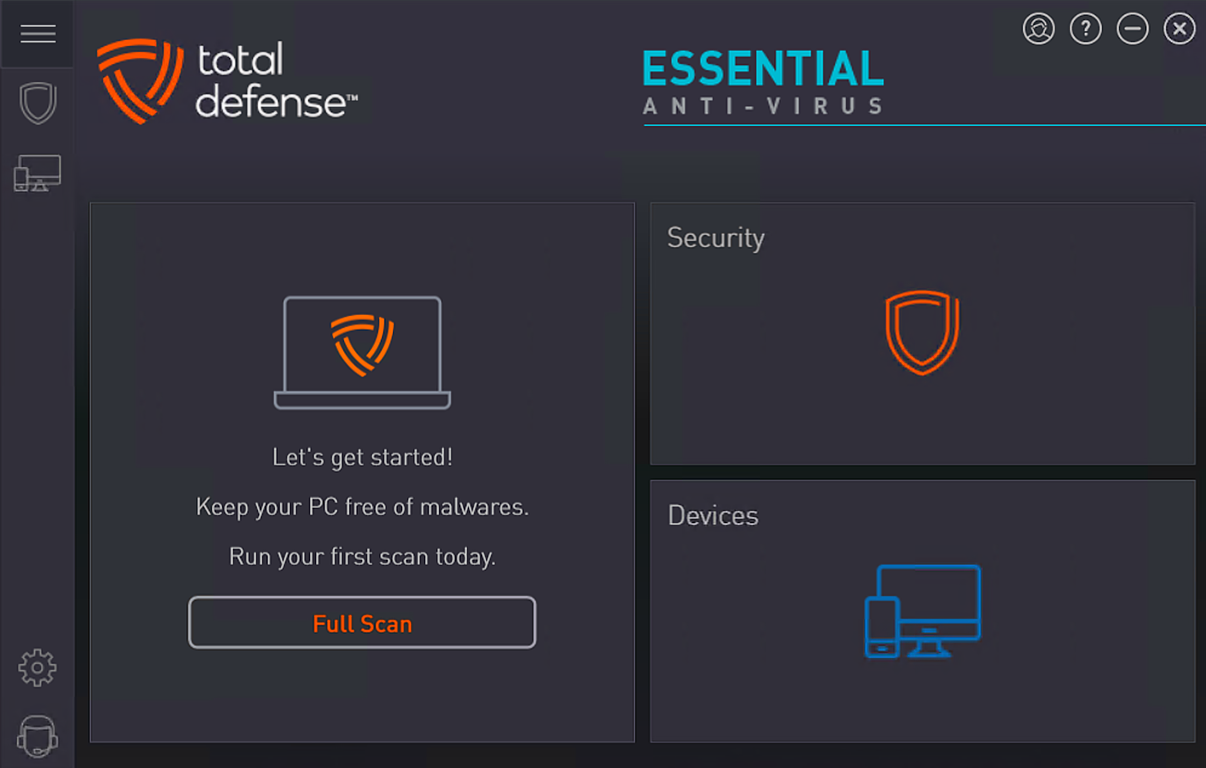
The app features a clean and intuitive user interface, with clearly labeled sections and straightforward navigation. The layout prioritizes accessibility, allowing users to quickly access core functions such as scan, protection status, and settings. Visual design elements are minimalistic, focusing on functionality rather than distraction. Navigation flows logically from one screen to the next, reducing the learning curve for new users.
Although the developer did not list formal performance metrics, the app is designed to operate efficiently in the background without noticeable impact on battery life or processing speed. It is optimized for a range of Android devices, including mid-tier and high-end models. Responsiveness is maintained across different screen sizes and input methods. Stability appears consistent during typical usage scenarios, with no reported issues related to crashes or freezes. The developer did not specify minimum OS requirements or compatibility details beyond the platform.
Platform Compatibility & Technical Requirements
Total Defense Essential Anti-Virus is available exclusively on the Android platform. The current version is 2.0.1, with a file size of 46.8 MB. The app is designed to function on Android devices that meet standard requirements for modern applications. Specific hardware or OS version details were not listed by the developer. Compatibility information was not fully disclosed, so users are advised to ensure their device supports the latest Android updates.
The app’s lightweight footprint makes it suitable for devices with limited storage, though performance may vary depending on the device’s processing power and available RAM. No additional permissions or system-level access were mentioned in the provided data. Users should review the app’s permission requests during installation to ensure alignment with their security preferences.
Pros and Cons
Pros
- Provides real-time protection against viruses, spyware, and ransomware.
- Includes proactive web browsing safety alerts to prevent phishing attacks.
- Designed for high performance, minimizing impact on device speed and battery.
- Offers a 7-day free trial for risk-free evaluation.
- Lightweight file size suitable for devices with limited storage.
Cons
- Developer did not provide detailed information on OS compatibility or system requirements.
- Specific technical features of the threat detection engine were not disclosed.
- No public information on update frequency or long-term support plans.
- Only available on Android; no iOS version was mentioned.
- Price point may be considered high for users seeking free alternatives.
FAQ
Is Total Defense Essential Anti-Virus safe to install?
Yes, the app is developed by Total Defense, Inc., a recognized provider in the security space. It is designed to protect devices without introducing additional risks.
Can I use the app on multiple devices?
The developer did not specify whether the license supports multiple devices. Users should refer to the app’s terms of service for details on device usage.
How often does the app update its virus definitions?
While the exact update frequency was not disclosed, the app uses real-time threat detection, suggesting regular updates to maintain protection.
Is the 7-day free trial available for all users?
Yes, the 7-day free trial is accessible to all users who download the app from the official source.
Does the app work on older Android versions?
The developer did not specify compatibility with older Android versions. Users should ensure their device meets the minimum requirements for the app to function properly.
Final Thoughts
Total Defense Essential Anti-Virus presents a focused, performance-conscious approach to mobile security. Its core strengths lie in real-time malware protection, proactive web safety alerts, and efficient background operation—key factors for users who rely on their smartphones for sensitive tasks. The inclusion of a 7-day free trial allows users to assess its value without financial commitment. While the lack of detailed technical documentation and platform limitations may deter some, the app remains a solid choice for Android users seeking reliable, no-frills protection.
For individuals prioritizing online safety and data integrity, especially those engaging in mobile banking or e-commerce, this app delivers tangible benefits. Its lightweight design and emphasis on system performance make it a practical addition to any Android device.
Download Total Defense Essential Anti-Virus now
Guides & Tutorials for Total Defense Essential Anti-Virus
How to install Total Defense Essential Anti-Virus
- Click the Preview / Download button above.
- Once redirected, accept the terms and click Install.
- Wait for the Total Defense Essential Anti-Virus download to finish on your device.
How to use Total Defense Essential Anti-Virus
This software is primarily used for its core features described above. Open the app after installation to explore its capabilities.
User Reviews for Total Defense Essential Anti-Virus 0
No reviews found


